Real and complex numbers in space
This is not a math tutorial. See Why am I writing about math?
Real numbers () are numbers that exist on the number line.
Understanding dimensions #
The physical world has three dimensions.
A sheet of graph paper (ignoring its thickness) is conceptually a two dimensional object.
A number line is a 1 dimensional object.
To describe a point on the number line only requires a single coordinate.
To describe a point on a Cartesian plane requires two coordinates.
To describe a point in space requires three coordinates.
The dimensionality of an object could be considered as the degrees of freedom that the object has.
Complex numbers are two dimensional #
Complex numbers (numbers in the form ) can be represented a points on the complex plane. The complex plane maps to a 2D Cartesian plane. The horizontal x-axis represents the real part of a complex number. The vertical y-axis represents the imaginary part of the complex number.
See notes / Introduction to imaginary numbers
Visualizing complex numbers #
The following code creates a 10x10 grid of complex numbers, with the real plane in the range
(-1, 1) and the real part of the complex plane also in the range (-1, 1):
import numpy as np
import matplotlib.pyplot as plt

xmin = -1.0
xmax = 1.0
ymin = -1.0
ymax = 1.0
width = 10
height = 10


x = np.linspace(xmin, xmax, width)
y = np.linspace(ymin, ymax, height)
X, Y = np.meshgrid(x, y)
Z = X + 1j * Y

# Scatter plot the points on the complex plane
plt.scatter(Z.real, Z.imag)
plt.xlabel("Real")
plt.ylabel("Imaginary")
plt.axis("equal")
plt.grid(True)
plt.show()
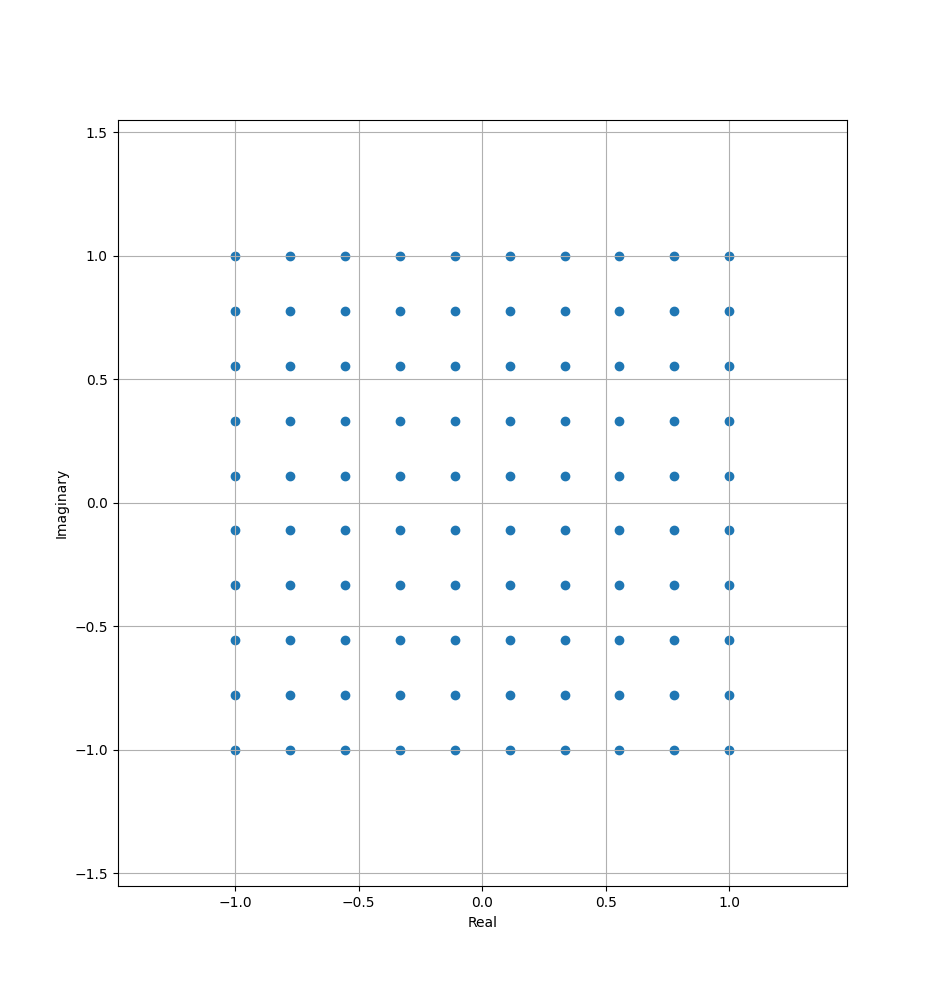
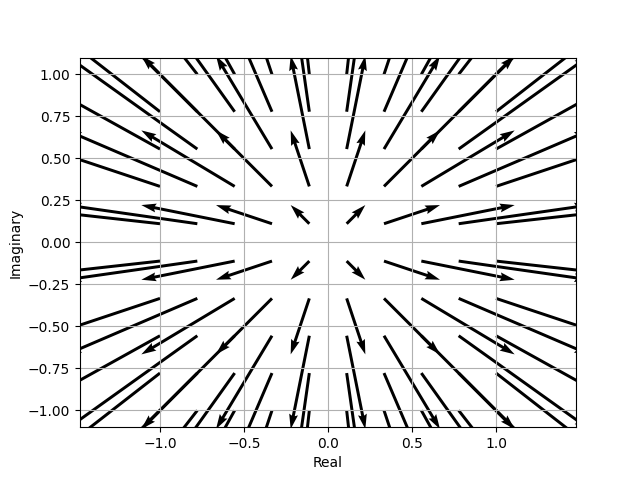
Complex numbers can be visualized as vectors.
# A quiver plot is a 2D graph that displays a field of vectors as arrows.
# quiver([X, Y], U, V, [C], /, **kwargs)
# X, Y define the arrow locations, U, V define the arrow directions.
# The `angles` arg sets the direction of the arrows; "xy": arrows point from (x, y) to
# (x+u, y+v)
plt.quiver(
    Z.real,  # arrow X coordinate start
    Z.imag,  # arrow Y coordinage start; the r part of the imaginary number
    Z.real,  # point arrows in the direction of the complex number
    Z.imag,  # point arrows in the direction of the complex number
    angles="xy",
    scale_units="xy",
    scale=1,
)
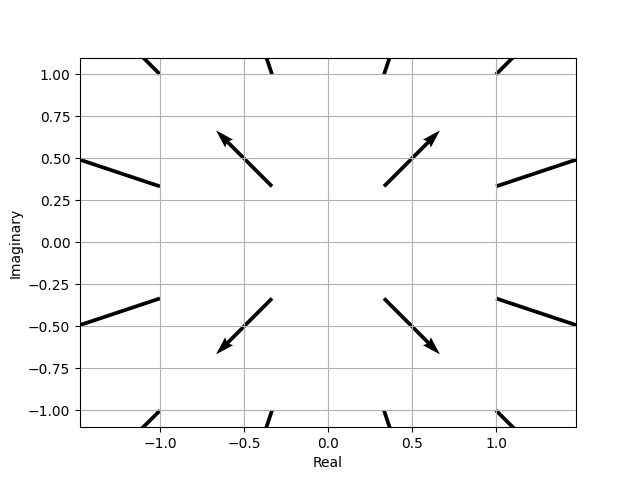
Here’s a scaled down version of the complex numbers that are being used in these examples. It’s a 4x4 grid instead of a 10x10 grid:
 [[-1.        -1.j         -0.33333333-1.j          0.33333333-1.j        1.        -1.j        ]
 [-1.        -0.33333333j -0.33333333-0.33333333j  0.33333333-0.33333333j 1.        -0.33333333j]
 [-1.        +0.33333333j -0.33333333+0.33333333j  0.33333333+0.33333333j 1.        +0.33333333j]
 [-1.        +1.j         -0.33333333+1.j          0.33333333+1.j         1.        +1.j        ]]
Calculating the angle for a complex number (also called the argument or phase) #
Starting from a complex number in the rectangular form: -0.33333333-1.j
Identify the components:
- real part:
-0.33333333 - imaginary part:
-1.0
The number is a + bi = -0.33333333-1j
Visualize (imagine for now) the number on the complex plane:
x = -0.33333333, y = -1.0. The number is in the third quadrant, both x and y are negative.
Calculate the angle of the point:
The simple approach with Python is theta = np.arctan2(y, x), or theta = np.angle(-0.33333333-1j)
In [10]: np.angle(-0.33333333-1j)  #   np.float64(-1.8925468781915389)
Out[10]: np.arctan2(-1, 0.33333333)  # np.float64(-1.8925468781915389)
Note that np.angle returns the angle of a complex number in radians, np.arctan2 returns the
angle of (opposite, adjacent), (x, y), (real, imag).