Rendering LaTeX in Neovim markdown buffers
This isn’t a definitive guide. It’s fairly specific to using the LazyVim Neovim distribution.
Enable snacks.image #
snacks.image allows images to be viewed within Neovim if Neovim is run in a terminal that supports the Kitty Graphics Protocol . The kitty and ghostty terminals both support the protocol. I’m using ghostty.
snacks.nvim
is a collection of Neovim plugins. It’s
installed on LazyVim, but the snacks.image plugin is not enabled. I enabled it by adding the
following to my Neovim config (nvim/lua/plugins/snacks-image.lua):
return {
  "folke/snacks.nvim",
  ---@type snacks.Config
  opts = {
    image = {
    }
  }
}
Configure how snacks.image displays LaTeX code #
I’m fairly sure that LaTeX rendering is enabled by default if snacks.image is enabled. To
configure how snacks.image displays LaTeX, I updated my snacks-image.lua file to add a configuration section:
return {
  "folke/snacks.nvim",
  ---@type snacks.Config
  opts = {
    image = {
      doc = {
        -- this is the default conceal function. I've included it so that I can try various tweaks to the function
        conceal = function(lang, type)
          return type == "math"
        end,
        math = {
          enabled = true, -- I don't think this is needed (it's enabled by default)
          latex = {
            font_size = "normalsize",  -- default is "Large" (which is large)
          }
        }
      },
    }
  }
}
Install Tectonic system wide #
Without installing Tectonic math code was rendering but didn’t look great. I think it was being rendered with the Python pdflatex module that I’ve installed in the virtual env that’s setup in my markdown directory.
I installed Tectonic on Arch Linux with:
sudo pacman -S tectonic
Getting math to look nice #
Here’s the full default config that’s used for displaying math with snacks.nvim (as of January 2026):
    latex = {
      font_size = "Large", -- see https://www.sascha-frank.com/latex-font-size.html
      -- for latex documents, the doc packages are included automatically,
      -- but you can add more packages here. Useful for markdown documents.
      packages = { "amsmath", "amssymb", "amsfonts", "amscd", "mathtools" },
      tpl = [[
        \documentclass[preview,border=0pt,varwidth,12pt]{standalone}
        \usepackage{${packages}}
        \begin{document}
        ${header}
        { \${font_size} \selectfont
          \color[HTML]{${color}}
        ${content}}
        \end{document}]],
    },
The color variable that’s used in the template is (or can be) set by the current Neovim theme.
Using the
Catppuccin Latte theme
, math was being rendered with
light pink text that was barely legible. I didn’t want to mess around with that, so just switched to
using
https://github.com/nuvic/flexoki-nvim/
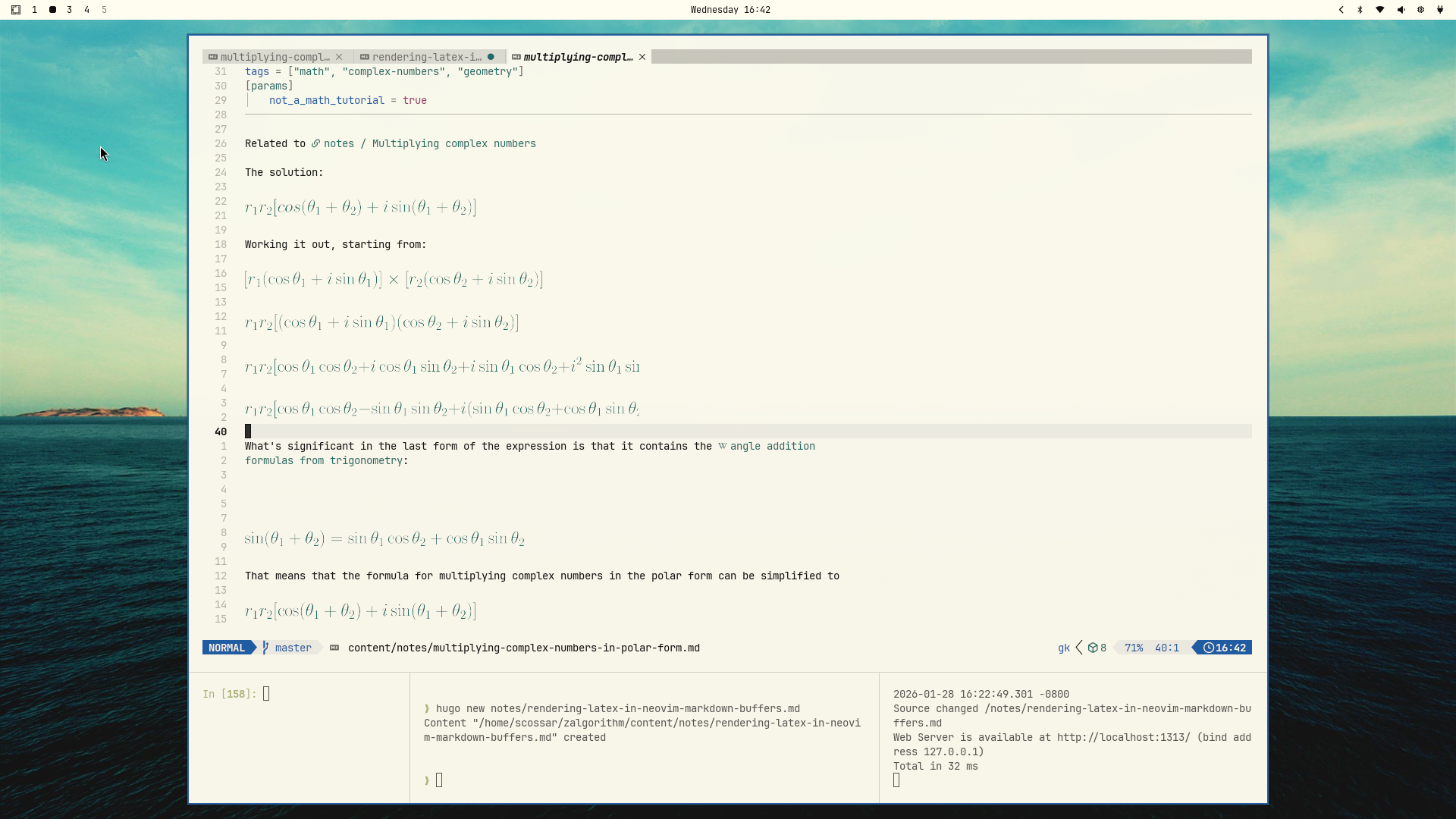
. It looks
great:
Issues #
I find the rending of math as I’m typing in math code a bit jarring. I’m not sure what the ideal behavior would be though.